Influencer CRM Software for Creator Relationship Management
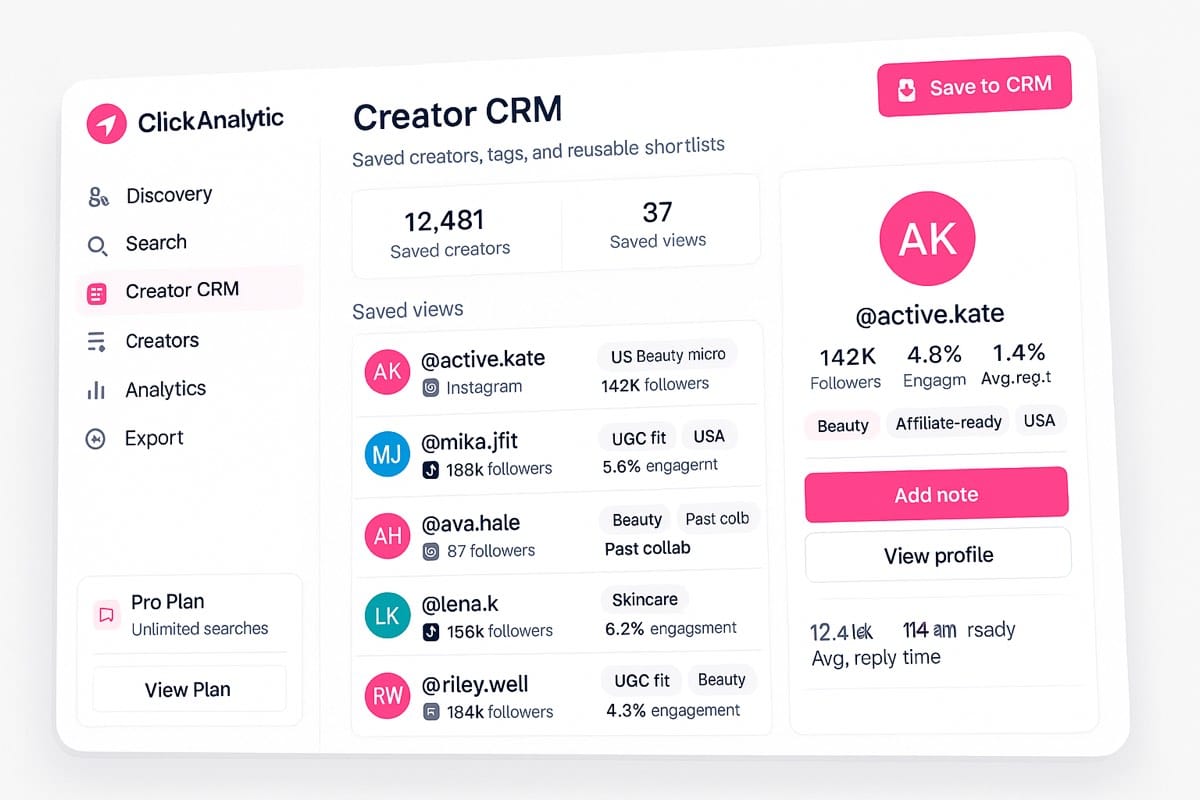
Save creator profiles from search, organize them with tags and filters, and reuse your best shortlists across campaigns. Built on 400M+ creator profiles across Instagram, TikTok, and YouTube.
Why creator lists break between campaigns
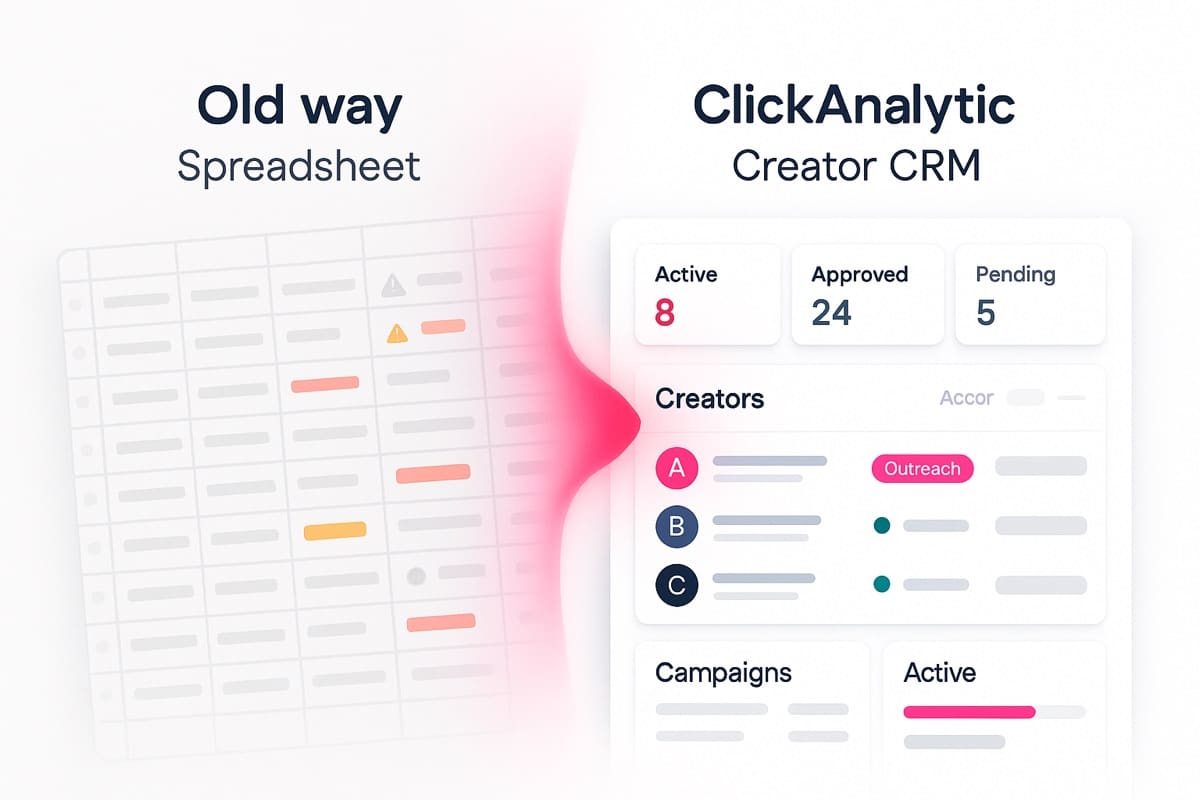
The problem is not finding creators once. It is keeping the right creators organized after the campaign ends. Spreadsheets and Notion docs lose data, tags become inconsistent, and teams rebuild lists from scratch every quarter.
What is an influencer CRM?
An influencer CRM is software for storing, segmenting, and reusing creator relationships across campaigns. Unlike a spreadsheet, it connects creator discovery, profiles, tags, filters, notes, and saved views in one system.
Store profiles
Save creators worth keeping with full audience and contact data.
Segment creators
Tag by niche, market, audience, content type, or any custom field.
Reuse lists
Pull saved shortlists for new launches without rebuilding.
Quick start
How to use ClickAnalytic Creator CRM in minutes
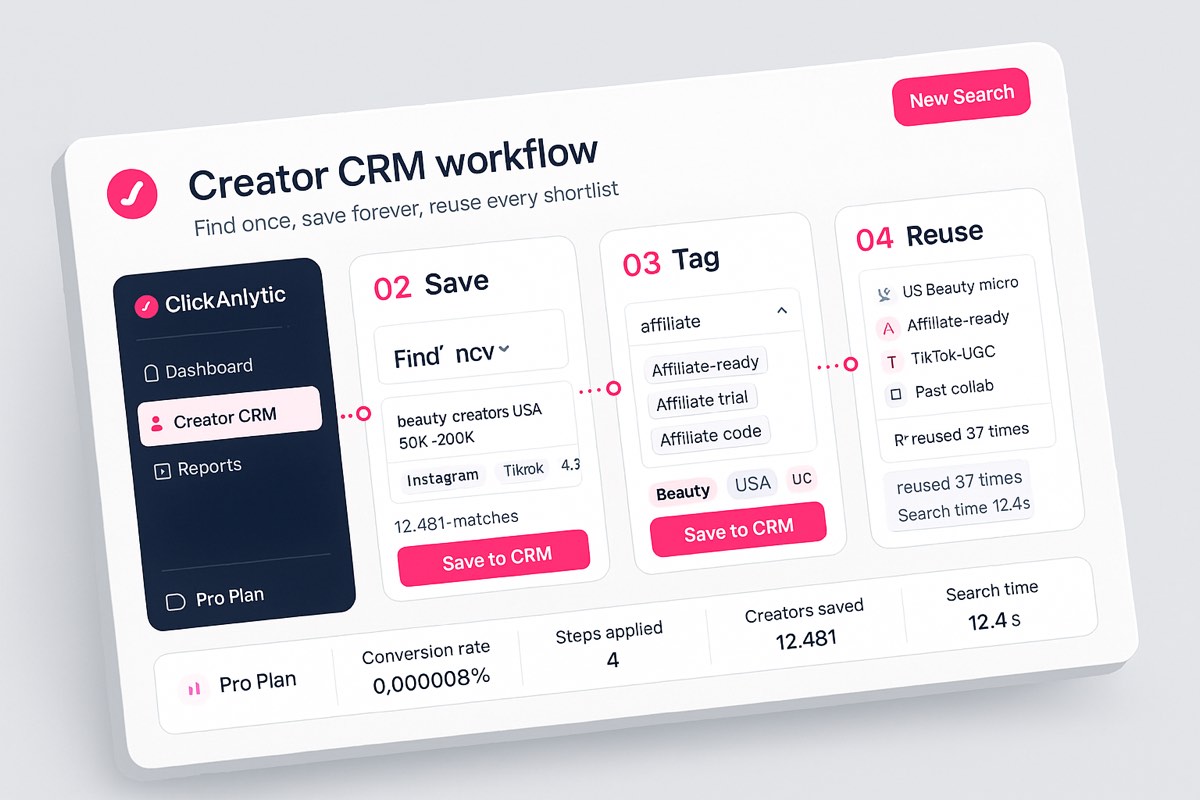
Turn scattered creator names, saved profiles, and campaign notes into an organized creator pipeline. Setup takes minutes, reuse takes seconds.
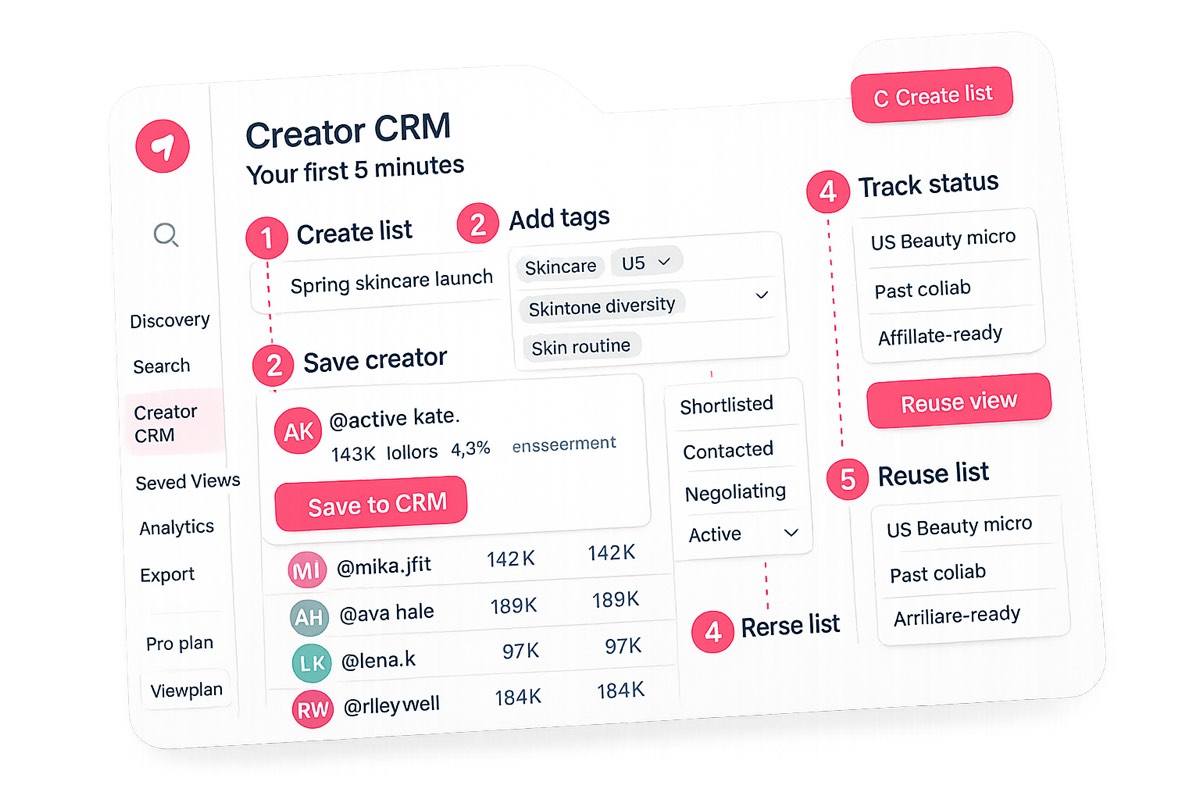
From search to saved CRM view in 4 steps
Organize creators with tags, filters, and saved views
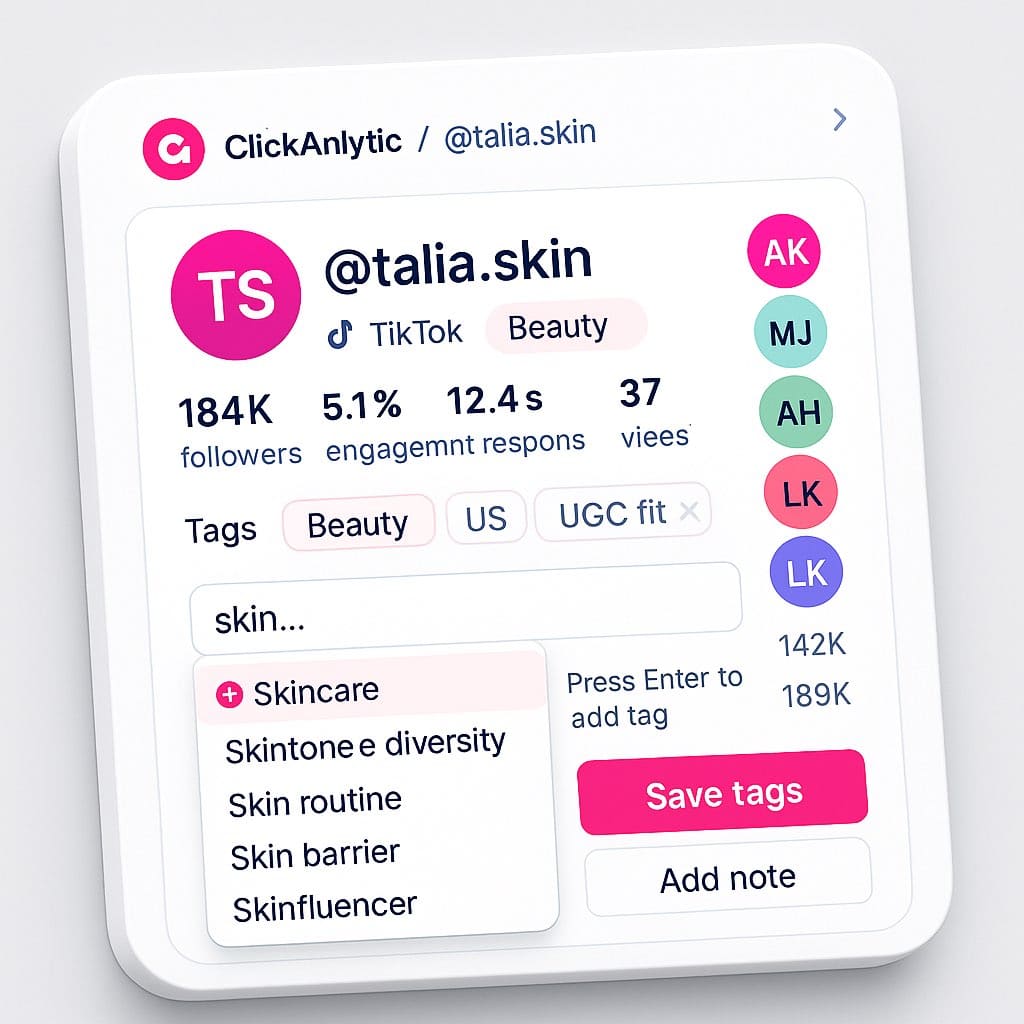
Standardize how your team labels creators with autocomplete tags. Combine tags with filters to pull exact shortlists. Save views for reuse next quarter.
- Pre-built tag categories: niche, market, audience tier, content type, campaign stage
- Unlimited custom tags: add anything that matters to your team
- Autocomplete prevents drift: standardized labels across your workspace
- Saved views update automatically: filter combinations stay live as new data comes in
Reuse creator shortlists across campaigns
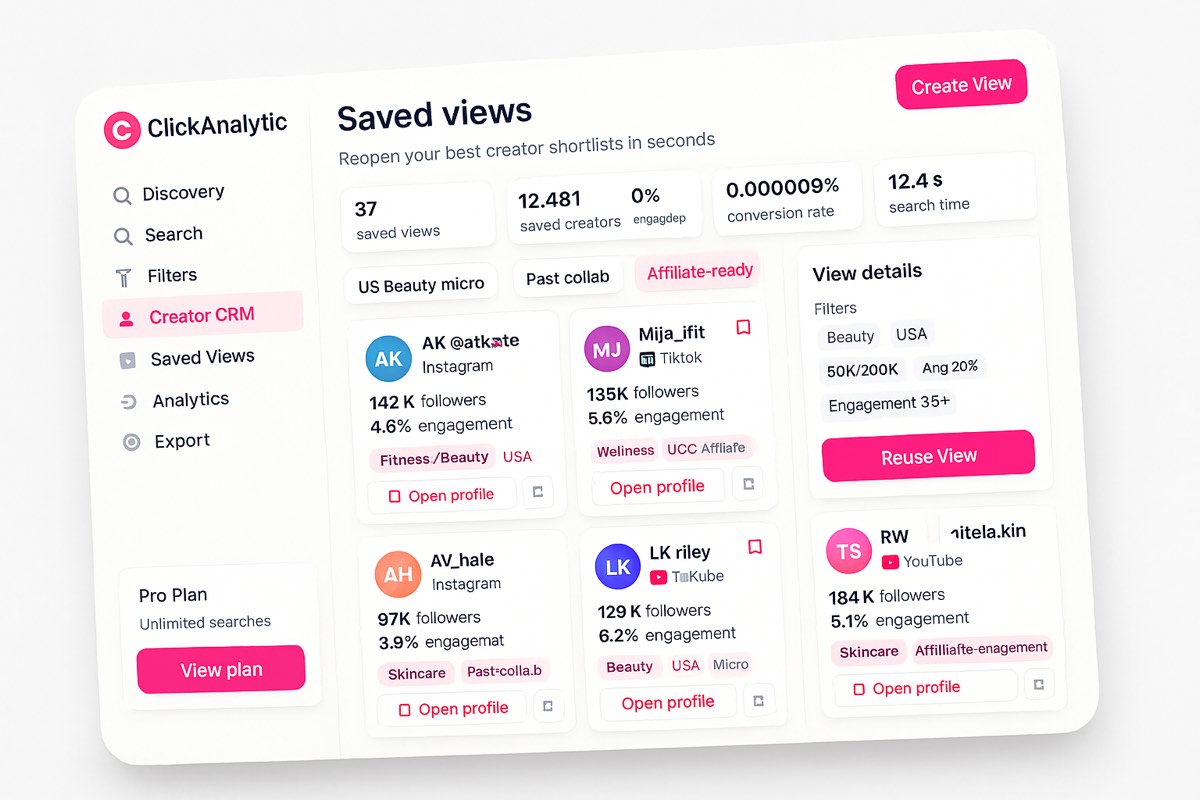
Build once. Reuse every launch. Saved views combine your tags and filters so the same shortlist comes back updated with fresh audience data, three months later, no rebuilding required.
- US skincare micro-creators — saved last quarter, reused for serum launch
- Affiliate-ready creators — pulled automatically for new partner program
- Past collaborators — instant re-engagement list for next campaign
- UGC creators for TikTok — dedicated content style segment
- High-engagement beauty — top-tier brand fit shortlist
Influencer CRM vs spreadsheet vs Notion
Creator management use cases
Built for teams that run more than one launch per year. Pick the use case that maps to how your team operates.
DTC brand teams
Run 8 launches per year. Reuse vetted creator pools across each.
Tags: launch / market / product fit
Influencer agencies
Manage multiple client rosters. Tag by client, filter by campaign type.
Tags: client / campaign type / tier
Affiliate program managers
Track creators by affiliate status, performance tier, payout stage.
Tags: affiliate / performance / payout
MCN and creator managers
Organize roster by content niche, partnership stage, performance.
Tags: roster / niche / stage
UGC teams
Build reusable UGC creator pools tagged by content style and brand fit.
Tags: UGC fit / content style / brand
Built on 400M+ creator profiles
This is not an empty CRM waiting for manual data entry. Start from a creator database with 400M+ profiles across 195 countries and 99 niches, then save the profiles worth keeping.
ClickAnalytic helped us cut creator shortlisting time by 41% because every saved profile, tag, and list stays easy to find.
What teams achieve with ClickAnalytic CRM
Influencer CRM FAQs
What is an influencer CRM?
How is influencer CRM different from a regular CRM like HubSpot or Salesforce?
Can I save creators from search results into the CRM?
How do I organize creators by campaign or niche?
Does ClickAnalytic CRM replace influencer relationship management software?
What is the difference between an influencer CRM and a creator database?
Can teams reuse saved creator lists across new campaigns?
Can I search creators by tag, list, or contact detail?
Build a creator CRM your team will actually reuse
Save the creators you have already vetted, tag them by anything that matters, and pull a shortlist in seconds when the next launch comes around.
No credit card · Cancel anytime · 4.8 on Capterra and G2
Next best step
What do you want to do next with your creator workflow?
Creator CRM helps you organize relationships. If you also need to find, vet, or scale your influencer workflow, choose the next ClickAnalytic tool below.
Find more creators
Search 400M+ profiles across Instagram, TikTok, and YouTube. Influencer Database
Vet creators before outreach
Check authenticity, engagement quality, and audience fit before you commit. Influencer Vetting Tool
Manage creator relationships
Briefs, contracts, outreach, and follow-ups in one organized workspace. Relationship Management
Scale with your team
See how agencies and ecommerce brands use ClickAnalytic Creator CRM.
Not sure where to start? Start free with Creator CRM and save your best-fit creators as you go.
Recent Comments