How to get verified on Instagram for free? Think having 10,000 followers guarantees that coveted blue checkmark? Think again. Despite what many believe, only 3.26% of Instagram accounts with over 1,000 followers actually hold verification status. That tiny blue badge remains one of social media’s most exclusive symbols – and it’s not just about follower count.
Instagram verification signals authentic notability, not popularity metrics. Whether someone’s a rising entrepreneur, content creator, or established brand, that checkmark instantly communicates credibility and protects against impersonation attempts. The platform offers two pathways: traditional free verification for genuinely notable figures and Meta Verified, their paid subscription service.
Here’s the game-changer: free verification is absolutely achievable for the right accounts. While Instagram’s algorithm seems mysterious, their verification criteria follow specific patterns that savvy users can leverage. Success requires understanding what Instagram actually looks for – public interest, authenticity markers, and notable presence across the digital landscape.
The verification process isn’t luck-based gambling; it’s strategic positioning. With the right approach, documentation, and timing, that exclusive 3.26% club becomes significantly more accessible than most realize.
Understanding Instagram Verification
Many users mistakenly believe Instagram verification is about popularity or follower count, but that’s not the case. The blue checkmark is actually Instagram’s way of confirming that an account belongs to the real person, brand, or entity it claims to represent.
Instagram verification serves as a digital stamp of authenticity, helping users distinguish between genuine accounts and potential imposters. This becomes especially important for public figures, celebrities, brands, and businesses who are frequently targeted by fake accounts trying to deceive followers.
The verification process involves Instagram reviewing submitted documentation to confirm the account owner’s identity. Once approved, the blue badge appears next to the account name, signaling to everyone that this is the authentic profile.
There are now two distinct ways to earn that blue checkmark:
- Traditional (Free) Verification – Available to notable public figures, celebrities, and brands who meet Instagram’s strict criteria for authenticity and notability. This method costs nothing but requires documented public presence.
- Meta Verified (Paid Subscription) – A monthly subscription service that makes verification accessible to anyone willing to pay, regardless of notability status. Plans start at $14.99/month for creators and scale up for businesses.
Key Benefits of Instagram Verification:
- Enhanced Credibility – The blue checkmark instantly establishes trust with potential followers and customers
- Protection Against Impersonation – Reduces the risk of fake accounts using your name or brand
- Improved Search Discoverability – Verified accounts appear higher in search results
- Access to Exclusive Features – Priority customer support and early access to new Instagram tools
- Brand Safety – Protects your reputation from fake accounts spreading misinformation
- Increased Engagement – Users are more likely to interact with verified accounts they trust
- Better Collaboration Opportunities – Brands and potential partners often prioritize working with verified accounts for sponsorships
For content creators, influencers, and business owners, verification isn’t just a status symbol—it’s a practical tool for building authentic connections and protecting their digital presence in an increasingly crowded social media landscape.
Understanding Instagram’s Five Essential Verification Requirements
Instagram’s blue checkmark verification follows strict criteria that creators and businesses must meet. Here’s what the platform officially requires:
The Five Core Requirements
1. Authenticity
The account must represent a real person, registered business, or entity. Applicants need valid government-issued identification to prove their identity. Parody or fan accounts don’t qualify.
2. Uniqueness
Instagram allows only one verified account per person or business, with exceptions for language-specific accounts. Multiple personal accounts for the same individual won’t receive verification.
3. Completeness
The profile must be public and fully developed, including a profile photo, bio description, and consistent posting activity. Private accounts are automatically disqualified from consideration.
4. Notability
The account must represent someone or something well-known and frequently searched. Instagram looks for credible media coverage in multiple news outlets, not paid or promotional content.
5. Platform Compliance
Accounts must strictly follow Instagram’s Terms of Use and Community Guidelines. Any violations can disqualify applications or remove existing verification.
Common Misconceptions Debunked
Instagram has no minimum follower requirement for verification. Accounts with fewer followers can still qualify if they meet notability standards. The platform explicitly prohibits purchasing verification through third-party services, which violates their terms.
Meta Verified Alternative
For those who don’t meet traditional criteria, Meta Verified offers a separate paid verification service with different requirements and benefits, including customer support and increased visibility.
Success requires authentic growth, media recognition, and genuine public interest rather than follower count manipulation or purchased services.
Free Verification vs. Meta Verified: Which Should You Choose?
Understanding the differences between free and paid verification helps you choose the right path for your situation.
| Feature | Free Verification | Meta Verified (Paid) |
|---|---|---|
| Cost | Free | $14.99/month (creators), $14.99-$499.99/month (businesses) |
| Approval Time | Up to 30 days | 24-72 hours typically |
| Success Rate | Lower (strict notability requirements) | Higher (mainly ID verification) |
| Main Requirement | Must be notable with press coverage | Government ID matching profile name |
| Impersonation Protection | Yes | Yes (proactive monitoring) |
| Customer Support | Standard | Priority access to real humans 24/7 |
| Exclusive Features | No | Yes (stickers, 100 Stars/month) |
| Best For | Public figures, celebrities, notable brands | Creators, small businesses, anyone wanting verification |
Meta Verified Business Pricing Tiers (2025)
For businesses, Meta offers multiple subscription levels:
| Plan | Price/Month | Key Features |
|---|---|---|
| Standard | $14.99 | Blue badge, basic support, impersonation protection |
| Plus | $49.99 | Everything in Standard + 2 links in Reels/month, faster support |
| Premium | $149.99 | Everything in Plus + 4 links in Reels/month, request a call support |
| Max | $499.99 | Everything in Premium + personalized strategy advice, custom chat themes |
Which should you choose?
- Apply for free verification if you have documented press coverage, media mentions, or recognized public figure status
- Choose Meta Verified if you need verification quickly, lack press coverage, or want priority support access
Preparing Your Account for Success
Building a verification-worthy profile requires strategic optimization and consistent execution. Success lies in the details and authentic brand building across all platforms.
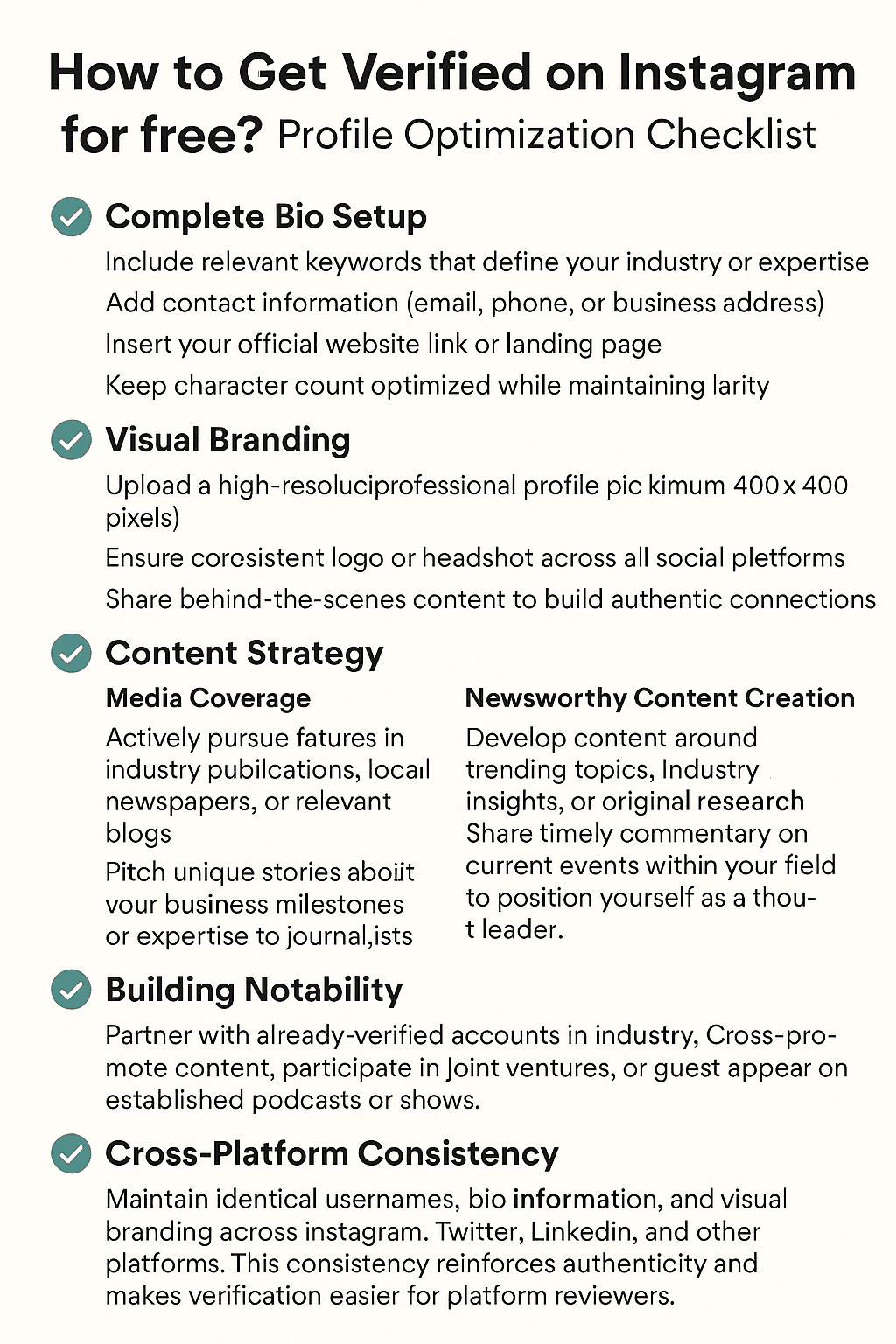
Profile Optimization Checklist
✓ Complete Bio Setup
- Include relevant keywords that define your industry or expertise
- Add contact information (email, phone, or business address)
- Insert your official website link or landing page
- Keep character count optimized while maintaining clarity
✓ Visual Branding
- Upload a high-resolution, professional profile picture (minimum 400×400 pixels)
- Ensure consistent logo or headshot across all social platforms
- Use the same color scheme and visual elements for brand recognition
✓ Content Strategy
- Maintain regular posting schedule (minimum 3-5 posts weekly)
- Create platform-specific content while keeping core messaging consistent
- Share behind-the-scenes content to build authentic connections
- Post consistently across Reels, Stories, and feed posts
Building Notability
Media Coverage – Actively pursue features in industry publications, local newspapers, or relevant blogs. Pitch unique stories about your business milestones or expertise to journalists covering your sector.
Newsworthy Content Creation – Develop content around trending topics, industry insights, or original research. Share timely commentary on current events within your field to position yourself as a thought leader.
Strategic Collaborations – Partner with already-verified accounts in your industry. Cross-promote content, participate in joint ventures, or guest appear on established podcasts or shows. Instagram collaborations are particularly effective in 2025 for building credibility and expanding reach.
Get Featured Through HARO – Help a Reporter Out (HARO) connects experts with journalists. Sign up to receive daily media opportunities – it’s a free way to build legitimate press coverage.
Cross-Platform Consistency
Maintain identical usernames, bio information, and visual branding across Instagram, Twitter, LinkedIn, and other platforms. This consistency reinforces authenticity and makes verification easier for platform reviewers.
Document your achievements, press mentions, and notable collaborations in a dedicated folder. This preparation streamlines the verification application process when you’re ready to submit.
Success requires patience and authentic growth rather than shortcuts. Focus on building genuine influence and recognition within your industry while maintaining professional standards across all digital touchpoints.
The Application Process Step-by-Step
Instagram’s verification application process follows a straightforward pathway that creators and businesses can navigate through the mobile app. Understanding each step ensures applicants submit complete, compelling requests that maximize their chances of approval.
Important: You can only request traditional verification through the Instagram mobile app, not the desktop version.
Step 1: Access the Application Portal
Users begin by opening the Instagram app and navigating to their profile. From there, they tap the three horizontal lines (menu icon) in the top right corner, select “Settings and privacy,” then choose “Account type and tools.” Finally, they tap “Request verification” to begin the process.
Step 2: Complete Required Information
The application requires users to enter their full legal name exactly as it appears on official documents. Next, they select the most appropriate category from options including news/media, sports, business, entertainment, or government/politics.
Step 3: Upload Documentation
Applicants must provide a clear photo of government-issued identification such as a driver’s license, passport, or national ID card. Business accounts can submit official business documents like tax filings or articles of incorporation instead.
Step 4: Strengthen Your Application
While not mandatory, supporting materials significantly improve approval odds. These include:
- Credible news articles mentioning the applicant
- Links to official websites
- Documentation of public recognition or awards
- Evidence of high search volume for their name or brand
- Links to other verified social media accounts
Step 5: Submit and Wait
After reviewing all information for accuracy, users submit their application. Instagram typically responds within 30 days, though some cases may take longer during high-volume periods.
Post-Submission Process
Instagram reviews applications based on authenticity, uniqueness, completeness, and notability. Regardless of the outcome, applicants receive notifications in their activity feed. If denied, users can reapply after 30 days with additional supporting documentation.
Warning: Submitting a verification request multiple times before getting a decision will cancel your application.
How to Get Verified Through Meta Verified
If you don’t meet the notability requirements for free verification, or simply want a faster path to the blue checkmark, Meta Verified offers an alternative.
Step 1: Check Eligibility Requirements
To subscribe to Meta Verified, you must:
- Be at least 18 years old
- Have a profile showing your full legal name with a profile picture that includes your face
- Have prior posting history on your account
- Possess a government-issued ID that matches your profile name and picture
- Enable two-factor authentication on your account
- Follow Instagram’s Terms of Use and Community Guidelines
Step 2: Access Meta Verified
Open Instagram, go to your profile, tap the hamburger menu (three lines), and look for “Meta Verified” under the For Professionals section.
Step 3: Choose Your Plan
Select between the available subscription tiers based on your needs. Creator plans start at $14.99/month ($11.99 on web), while business plans offer additional features at higher price points.
Step 4: Complete Payment
Enter your payment details through the Google Play Store, Apple App Store, or Meta Pay. You’ll be charged monthly until you cancel.
Step 5: Verify Your Identity
Upload photos of your government-issued ID. Make sure the information is readable and matches your profile name exactly. Some regions may also require a selfie video for additional verification.
Step 6: Wait for Confirmation
Most Meta Verified applications are processed within 24-72 hours. Once approved, your blue badge will appear immediately on your profile, in comments, DMs, and across Stories and Reels.
Note: Once verified through Meta Verified, changing your username or profile name will require going through the verification process again.
Common Reasons for Rejection and How to Improve
Instagram verification rejections often stem from predictable issues that applicants can address strategically. Understanding these common pitfalls helps creators and businesses strengthen their next submission.
Most Frequent Rejection Reasons:
- Insufficient notability: Lack of credible press coverage or public recognition
- Incomplete application: Missing required information or unclear account purpose
- Recent account changes: Username, profile, or content modifications before applying
- Community guidelines violations: Current or past policy infractions
- Inauthentic engagement: Purchased followers, fake interactions, or bot activity
- Uniqueness concerns: Multiple accounts or impersonation risks
- Incomplete Google presence: No Knowledge Panel, Wikipedia entry, or search visibility
Improvement Strategies:
Build legitimate press coverage through media outreach, guest appearances, or industry publications. Document achievements with awards, certifications, or notable collaborations that demonstrate public interest.
Ensure complete application accuracy by providing clear, consistent information across all fields. Maintain stable account settings for at least 30 days before applying.
Address compliance issues by reviewing and following Instagram’s community guidelines strictly. Remove any questionable content or connections to policy violations.
Focus on organic growth strategies rather than purchased engagement. Authentic follower interactions carry significantly more weight in verification decisions.
Create a Google Business Profile if you’re a business. This improves your search presence and helps verification reviewers find information about you.
Timeline Guidance:
Wait a minimum of 30 days between applications. Use this period to implement improvements, gather additional press coverage, and strengthen your public presence. Rushing resubmissions without addressing specific rejection reasons typically leads to repeated denials.
Document all changes made between applications to demonstrate serious commitment to meeting Instagram’s verification standards.
Frequently Asked Questions
How many followers do I need to get verified on Instagram?
There’s no minimum follower count required for Instagram verification. You can technically apply with any number of followers as long as you meet the other requirements, particularly notability. However, having a larger, engaged following can help demonstrate public interest in your account.
How much does Instagram verification cost?
Traditional verification through Instagram’s application process is completely free. If you choose Meta Verified instead, creator subscriptions cost $14.99/month (or $11.99/month on web), while business plans range from $14.99 to $499.99/month depending on features needed.
How long does it take to get verified on Instagram?
For traditional verification, Instagram typically responds within 30 days of your application. Meta Verified subscriptions are usually processed within 24-72 hours.
Can I get verified with a personal account?
Yes, both personal and professional (business/creator) accounts can apply for verification. However, your account must be public at the time of application.
What happens if my verification request is denied?
You can reapply after 30 days. Use this time to improve your application by gathering more press coverage, optimizing your profile, and addressing any issues that may have caused the rejection. Alternatively, you can subscribe to Meta Verified for immediate verification.
Can I apply for verification multiple times?
Yes, but you must wait for a decision on your current application before submitting a new one. Submitting multiple requests simultaneously will cancel your application.
Will getting verified on Instagram also verify my Facebook?
No, verification is platform-specific. You need to apply separately on each platform. However, Meta Verified subscriptions can bundle both Instagram and Facebook verification together.
Can I lose my verification badge?
Yes. Instagram can remove verification badges if you violate community guidelines, provide false information, or (for Meta Verified) cancel your subscription. Changing your username after verification may also require re-verification.
Does verification boost my reach or engagement?
Verification doesn’t directly increase algorithmic reach. However, verified accounts may appear higher in search results, and the credibility boost often leads to increased trust and engagement from users.
Are third-party verification services legitimate?
No. Any service claiming to sell Instagram verification badges is a scam. Instagram explicitly prohibits buying, selling, or transferring verified badges, and using such services can result in account suspension.
Conclusion and Next Steps
Instagram verification remains achievable for creators, influencers, and businesses who approach the process strategically. Success hinges on proper preparation, meeting Instagram’s authenticity and notability criteria, and maintaining patience throughout the review process.
The key takeaways are clear: following established verification steps significantly improves approval chances. Consistent content creation, authentic audience engagement, and building genuine notability within one’s niche form the foundation of a strong application.
Next Steps:
- Conduct a thorough profile audit to ensure completeness
- Focus on building verifiable notability through media coverage and partnerships
- Maintain consistent posting and authentic engagement
- Decide whether free verification or Meta Verified better fits your situation
- Gather all required documentation before applying
- If rejected, wait 30 days and address the likely reasons before reapplying
Remember, verification is a marathon, not a sprint. While the blue checkmark validates credibility, the real value lies in cultivating authentic growth and meaningful connections with audiences. Brands and creators who prioritize genuine community building over shortcuts will find lasting success, whether verified or not.
Stay committed to quality content and authentic engagement—verification will follow naturally. And if you need verification sooner, Meta Verified provides a reliable alternative that’s accessible to anyone willing to invest in their Instagram presence.