
Finden Sie die E-Mail-Adresse hinter jedem YouTube-Kanal
Finden Sie die öffentliche geschäftliche E-Mail eines YouTube-Creators aus Info-Seite und Kanalbeschreibung, schalten Sie sie für Ihre Liste frei, exportieren Sie sie als CSV oder senden Sie sie direkt an Outreach. Nur öffentliche Kontakte, von Grund auf DSGVO-konform.
Vertraut von mehr als 1.200 internen Teams
 4,8 ★★★★★ G2
 4,8 ★★★★★ Capterra


Ein Kommentar unter dem Video geht unter. Eine E-Mail landet in einem Postfach, das tatsächlich gecheckt wird.
Click Analytic findet die öffentliche E-Mail eines YouTube-Kanals für Geschäftsanfragen dort, wo der Creator sie bereits geteilt hat, schaltet sie mit einem Klick für Ihre Liste frei und hält den gesamten Ablauf DSGVO-konform.
Drei Schritte vom Kanal zum postfachfertigen Kontakt
Kanal finden oder hinzufügen
Über Suche, Monitoring oder eine eingefügte Kanal-URL.
Öffentliche E-Mail freischalten
Ein Klick zeigt den öffentlichen geschäftlichen Kontakt und speichert ihn in Ihrer Liste.
Exportieren oder an Outreach senden
Senden Sie an CSV, Ihr CRM oder direkt in eine Outreach-Sequenz.
Vom YouTube-Kanal zum erreichbaren Postfach
Öffentlicher YouTube-E-Mail-Finder
Direkt aus Info-Seite, Kanalbeschreibung und verlinkten Seiten.
- Aus öffentlichen Quellen ermittelt
- Info-Seite, Kanalbeschreibung und Links
- Geschäftliche Kontakte, keine gescrapten privaten
Mit einem Klick für Ihre Liste freischalten
Fügen Sie den Kanal hinzu und zeigen Sie die E-Mail mit einem Klick an.
- E-Mail mit einem Klick anzeigen
- Auf dem Creator-Datensatz gespeichert
- Kein Copy-paste in eine Tabellenkalkulation
Massenfreischaltung
Schalten Sie E-Mails für die gesamte Kanalliste frei, nicht einzeln.
- Eine ganze Kanalliste auf einmal freischalten
- Kein Hinterherjagen, Kanal für Kanal
- Gebaut für echtes Kampagnenvolumen
CSV-Export
Nehmen Sie Ihre Liste überallhin mit.
- Die gesamte Liste als CSV exportieren
- Ihre Daten überallhin mitnehmen
- Nie an ein Tool gebunden
Direkt an Outreach senden
Senden Sie freigeschaltete Creator direkt in Sequenzen, Gmail oder Klaviyo.
- In E-Mail-Outreach-Sequenzen
- An Gmail oder Klaviyo senden
- Kein erneuter Import nötig
Gespeichert auf dem Creator-Datensatz
E-Mail und Kanal liegen auf demselben Datensatz wie Vetting und CRM.
- E-Mail und Kanal an einem Ort
- Zusammen mit Vetting- und CRM-Daten
- Ein Datensatz für die gesamte Beziehung
Die öffentliche YouTube-E-Mail, ohne die Jagd
Um die öffentliche geschäftliche E-Mail eines YouTube-Kanals zu finden und für Ihre Liste freizuschalten.
E-Mails für die gesamte Kanalliste auf einmal freischalten, nicht einzeln.
Nur öffentliche geschäftliche Kontakte, von Grund auf konform, nie gescrapte private.
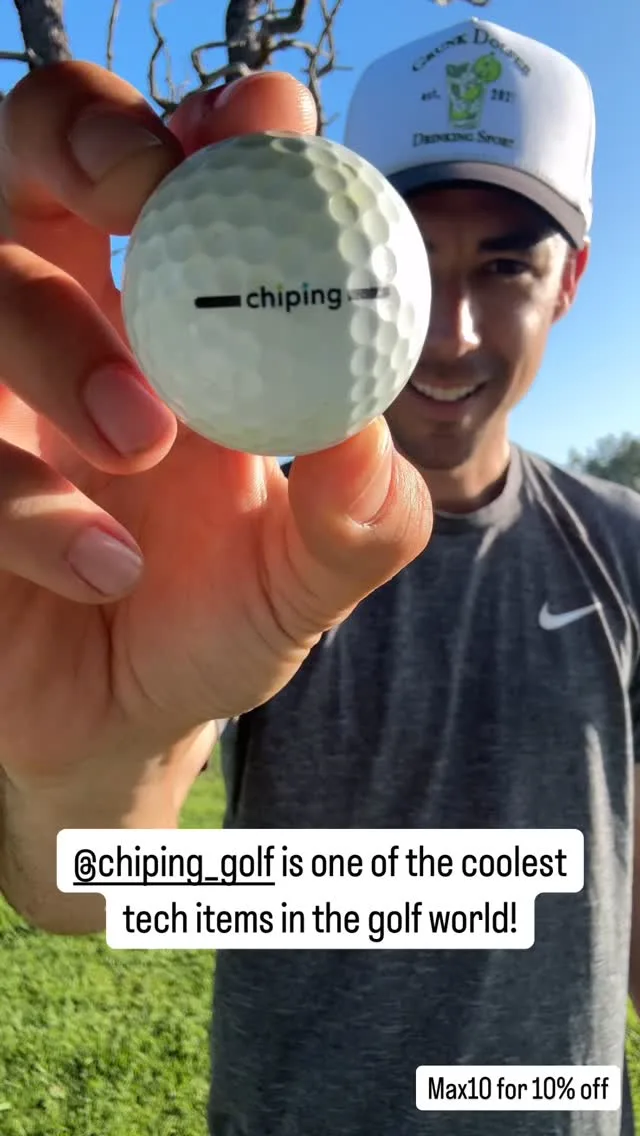
Wie Chip-ing aus Kaltakquise einen Kanal machte, der den Umsatz vervielfachte
“Click Analytic hat unser Marketing verändert. Innerhalb weniger Wochen haben wir unseren Umsatz vervielfacht und endlich einen Kanal gefunden, der zuverlässig funktioniert.”


Das sagen unsere Kunden
Wir haben herausgefunden, dass Sydney Sweeney dank Click Analytic bereits Skyn ICELAND benutzte.

Click Analytic hat unser Marketing verändert. Innerhalb weniger Wochen haben wir unsere Verkäufe vervielfacht und endlich einen Kanal gefunden, der zuverlässig geliefert hat. Eine glatte 10 von 10.
Wir sind gestartet in der Hoffnung, wahrgenommen zu werden. Zehn Tage später hatten wir Tausende neue Follower, es kamen Verkäufe rein, und die Leute sprachen über die Marke.

Die Funktionen sind herausragend: von der 400M+ Creator-Datenbank über das Lookalike-Tool bis zur Keyword-Suche, alles hat uns unzählige Stunden gespart. Perfekt für kleinere Marken.

Click war ein Gamechanger für unser Team. Die Daten sind so präzise, es fühlt sich an wie eine Google search für Instagram oder TikTok. Sie zeigen sofort jeden Creator in einer Stadt, der über das postet, was wir brauchen, mit den richtigen Kennzahlen.

Es hat uns geholfen, unser Influencer-Programm aufzusetzen und zu skalieren und in weniger als einem Monat +10K neue Anmeldungen zu generieren.

Kampagnen-Tracking bedeutete früher, Wochenenden mit Screenshots zu verbringen. Mit Click Analytic läuft alles automatisch, das spart meinem Team Stunden.

Mein Team bei Trio nutzt Click Analytic seit 2 Jahren für alle unsere Kampagnen, vom Finden der Creator über das Tracking der Ergebnisse bis hin zur direkten Bezahlung der Influencer im Tool.

Was Sie tun, sobald Sie die E-Mail haben
Click Analytic steuert Ihr gesamtes Programm, nicht nur die Kontaktsuche.
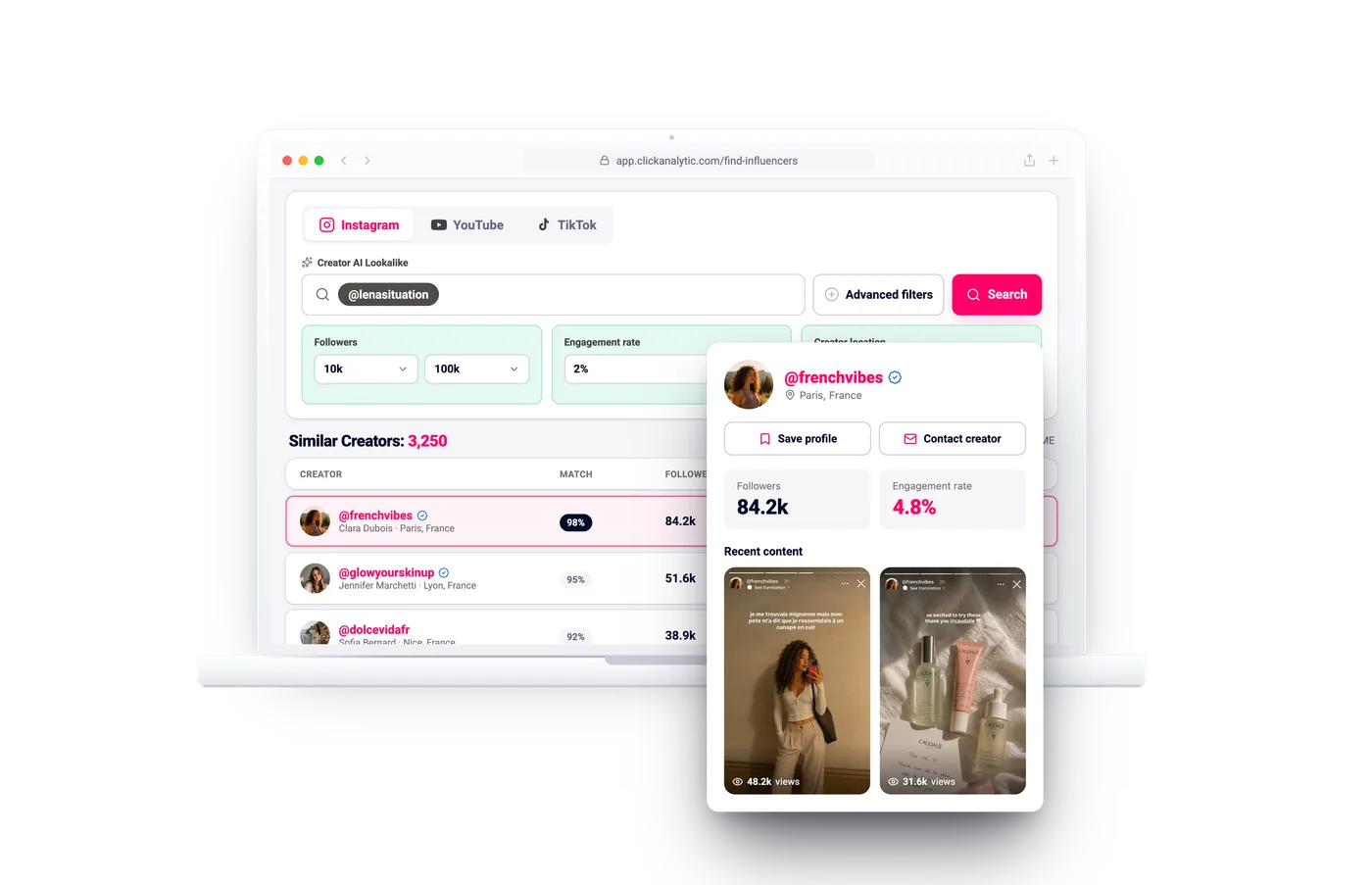
Influencer-Discovery-Plattform: Creator in einem Workspace finden, prüfen und tracken
Durchsuchen Sie 400M+ Creator danach, was sie wirklich posten, mit Zielgruppenqualität sofort sichtbar.
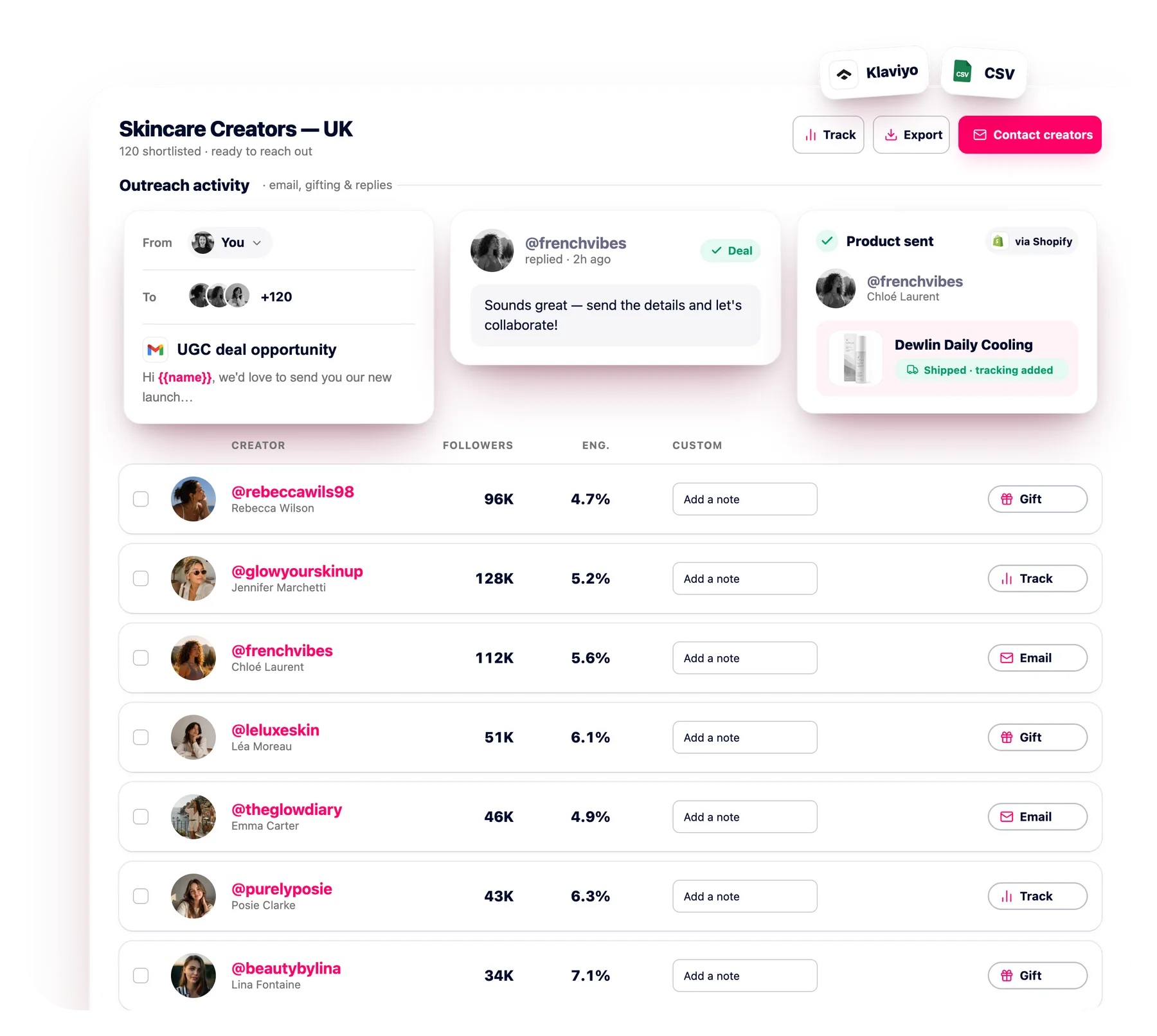
Influencer E-Mail Outreach Software: Automatisieren Sie Creator Outreach über Gmail
Kontaktieren Sie Hunderte Creator gleichzeitig per E-Mail mit automatisierten Follow-ups, jede Antwort in einem Postfach.
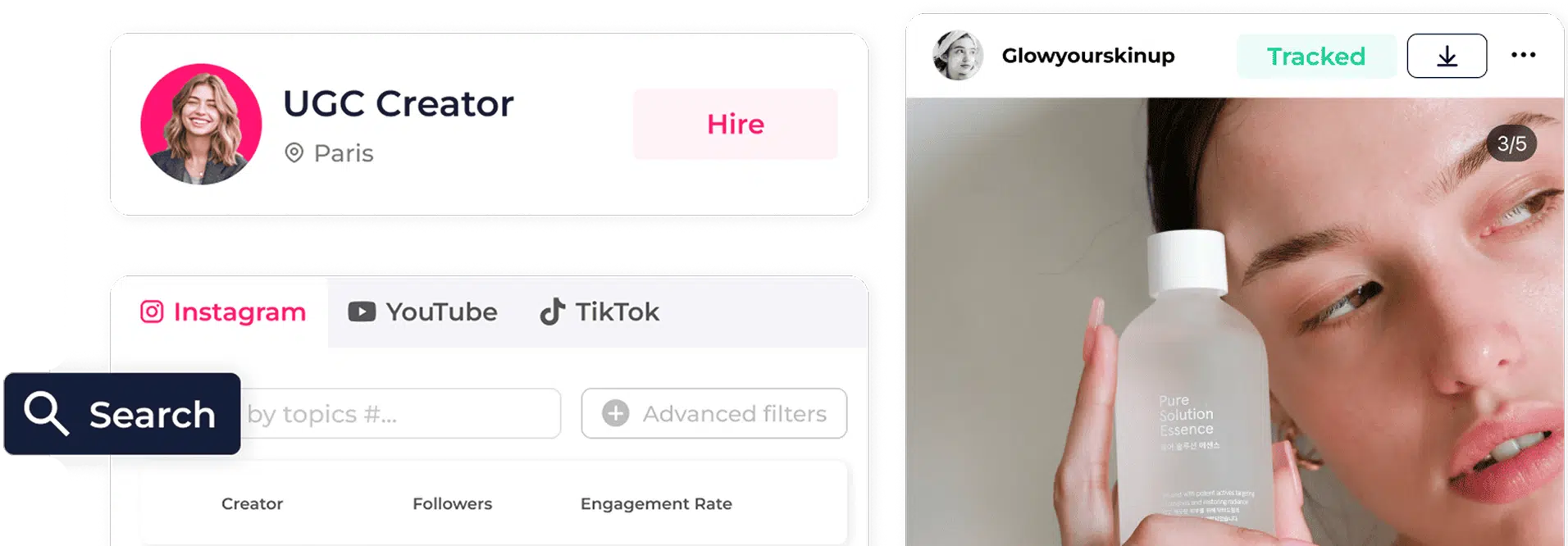
Influencer Relationship Management: Ein Workspace für jeden Creator
Ein gemeinsamer Datensatz pro Creator: Status, Notizen, Verträge und Verlängerungen, wiederverwendet in jeder Kampagne.
Woher stammen die YouTube-E-Mail-Adressen?
Aus öffentlichen Quellen, die der Creator selbst geteilt hat: der Info-Seite des Kanals, der Kanalbeschreibung und verlinkten Seiten. Nur öffentliche und geschäftliche Kontakte.
Kann Click Analytic die E-Mail jedes YouTube-Kanals finden?
Nein. Eine E-Mail lässt sich nur anzeigen, wenn der Creator sie öffentlich für Geschäftsanfragen verfügbar macht, etwa auf der Info-Seite seines Kanals.
Ist der YouTube Email Finder für die Kontaktsuche nach der Kanalauswahl gedacht?
Ja. Er deckt die Kontaktdaten auf, sobald Ihre Kanäle feststehen. Für die vorgelagerte Creator-Suche nutzen Sie die Influencer-Suche im selben Workspace.
Ist das DSGVO-konform?
Ja. Wir zeigen nur öffentliche geschäftliche Kontaktdaten, und Sie entscheiden, wie Sie Kontakt aufnehmen.
Kann ich YouTube-E-Mails im großen Stil freischalten?
Ja. Schalten Sie eine ganze Kanalliste auf einmal frei, nicht Kanal für Kanal.
Kann ich die E-Mails exportieren oder an Outreach senden?
Ja. Senden Sie freigeschaltete Creator in E-Mail-Outreach-Sequenzen, an Gmail oder Klaviyo, oder exportieren Sie sie als CSV.
Finden Sie die E-Mail hinter jedem YouTube-Kanal
14 Tage kostenlos testen, keine Kreditkarte nötig. Schalten Sie öffentliche YouTube-E-Mails frei und senden Sie sie direkt an Outreach.
E-Mail finden
 rebeccawils98Erfasst
 3/5
3/5